Read online or keep a copy
This illustrated guide explains the main Had Water features for the person logging drinks and for trusted helpers.
Had Water Quick Guide
A simple guide to logging drinks and sharing a daily summary.
Had Water helps you keep a simple record of what you drink during the day.
You can log drinks quickly, check your daily total, review your recent history, and, if you choose, share a calm daily summary with someone you trust.
You do not need to create an account or password.
1. Log a drink
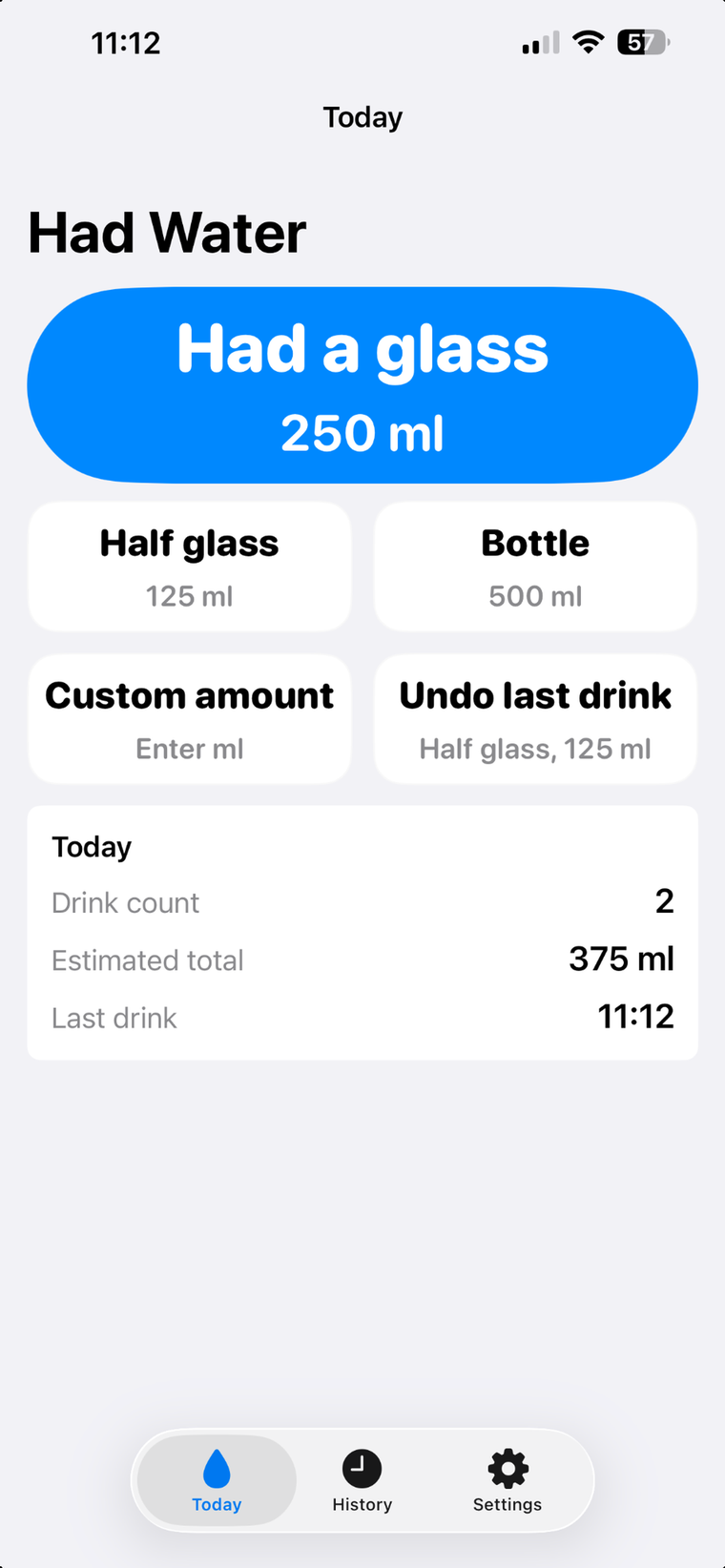
Open the Today screen and tap the button that matches what you had.
- Had a glass
- Half glass
- Bottle
- Custom amount
2. Check today at a glance
The Today panel gives you a quick overview of the day.
- Drink count
- Estimated total
- Time of the last drink
3. Review your history
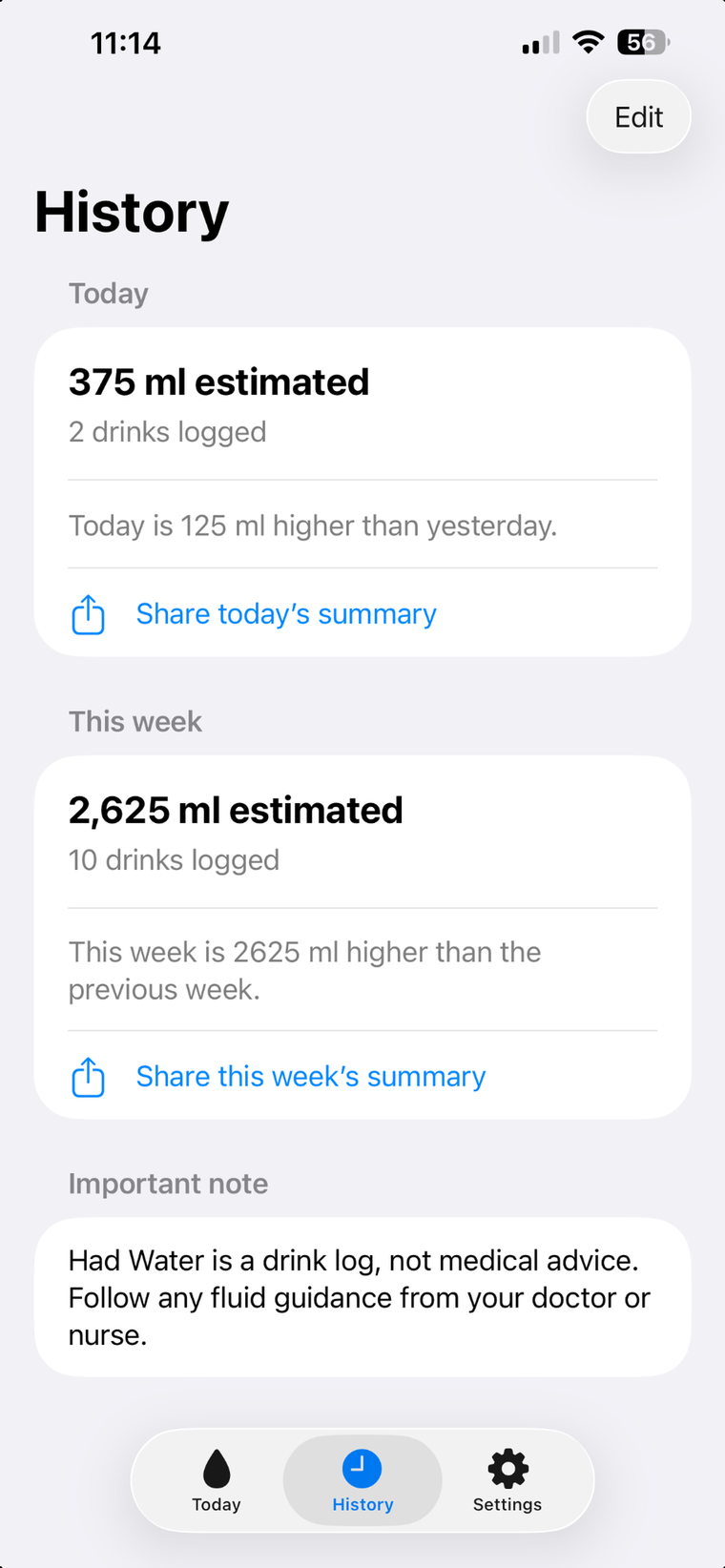
Open History to see a simple summary of recent activity.
- Today’s summary
- This week’s summary
- Simple comparisons with earlier totals
4. Share with a trusted helper
Sharing is optional. You decide whether to use it.
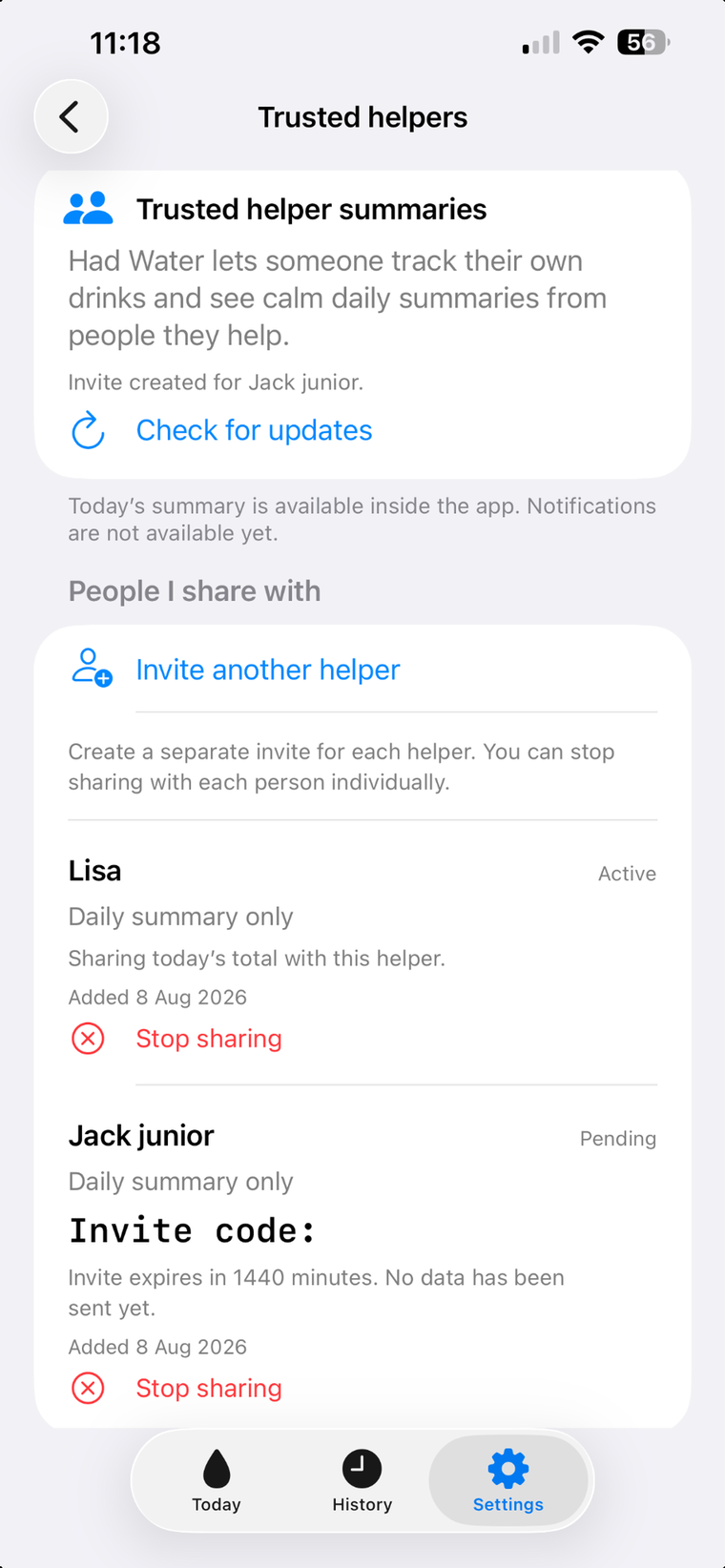
Open Settings, then Trusted helpers, and create an invite for someone you trust.
- Each invite is for one helper
- You can invite more than one helper
- A helper can also connect to more than one person
5. What a helper can see
A trusted helper receives a calm daily summary only.
- Today’s total
- Number of drinks logged
- Last update time
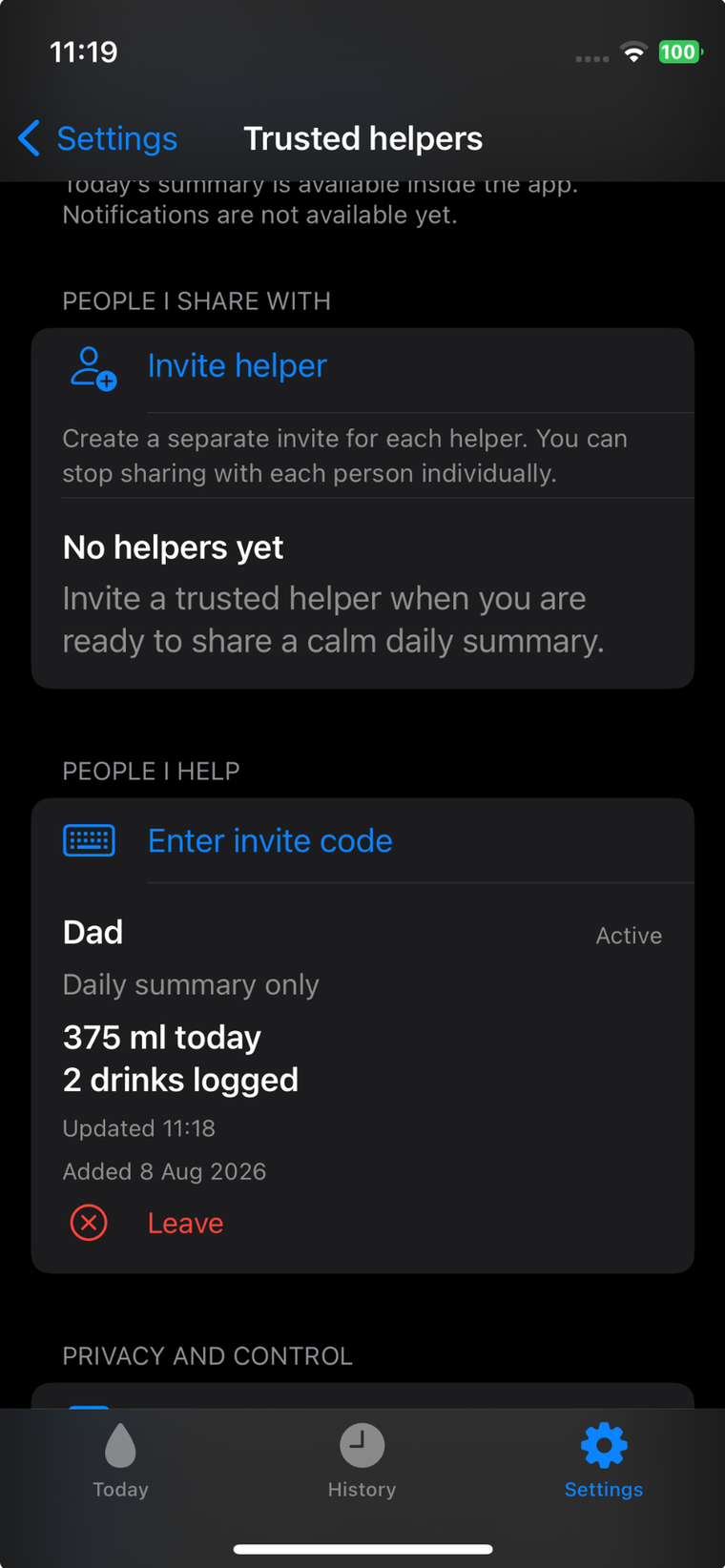
6. Stay in control
You can stop sharing whenever you want.
- Stop sharing with one helper without affecting other helpers
- Remove a pending invite
- Use Delete online data in Settings to remove this device’s online sharing data
Trusted Helper Quick Guide
How to connect and read a simple daily summary from someone you help.
A trusted helper can check a daily summary without seeing individual drink entries.
1. Connect with an invite code
Open Trusted helpers and tap Enter invite code.
Type the code shared with you, then accept the connection.
2. Read the daily summary
The summary is designed to be quick and easy to understand.
- Today’s total
- Number of drinks logged
- Last update time
3. Leave at any time
Tap Leave if you no longer want to be connected.
The person sharing can also stop sharing at any time.
Important information
Had Water is a simple drink log.
It is not a medical device and does not provide medical advice, diagnosis, treatment, health warnings, or emergency monitoring.
If you need medical guidance, follow advice from a doctor or nurse.